Configure Product Pricing
Quick path: Resources → Products → Open product → Pricing tab → Save
What this helps you do
Section titled “What this helps you do”Every product in Bloowatch needs a price before it can be sold. The pricing configuration lets you choose how prices are calculated and optionally adjust them by season or group size.
Bloowatch offers four pricing modes — you pick the one that fits how you sell.
Before you start
Section titled “Before you start”- At least one product exists (Resources > Products). See Create a Flexible Sessions Product or Create a Course Product.
- You know your tax rate (required for every pricing mode)
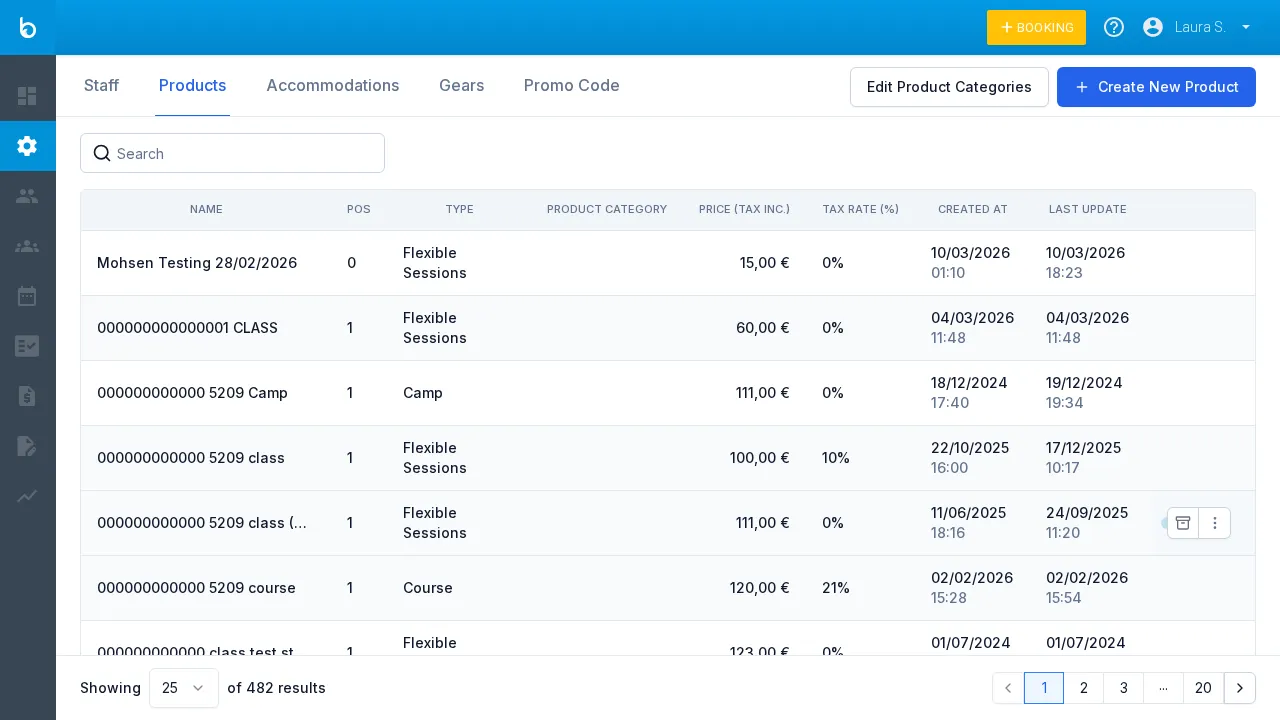
1. Go to Resources > Products
Section titled “1. Go to Resources > Products”Click Resources in the left sidebar, then click the Products tab.
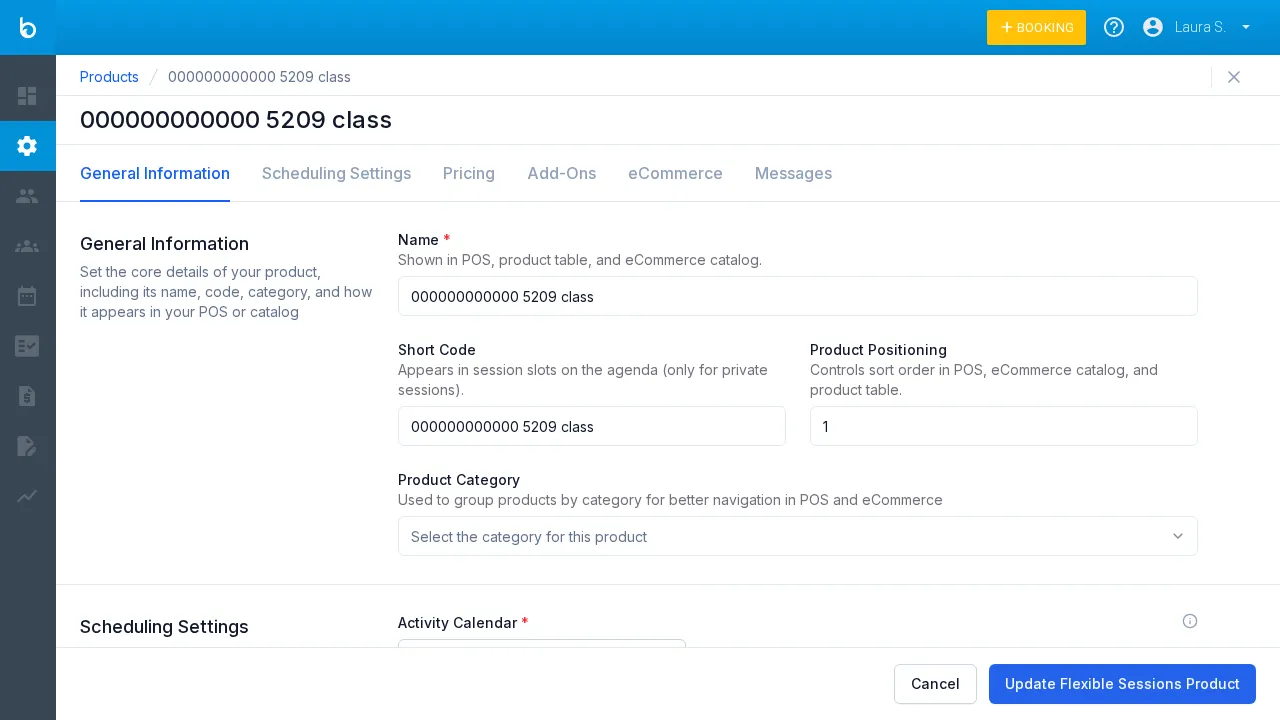
2. Open the product
Section titled “2. Open the product”Click the product row you want to configure pricing for. The product edit form opens.
3. Click the Pricing tab
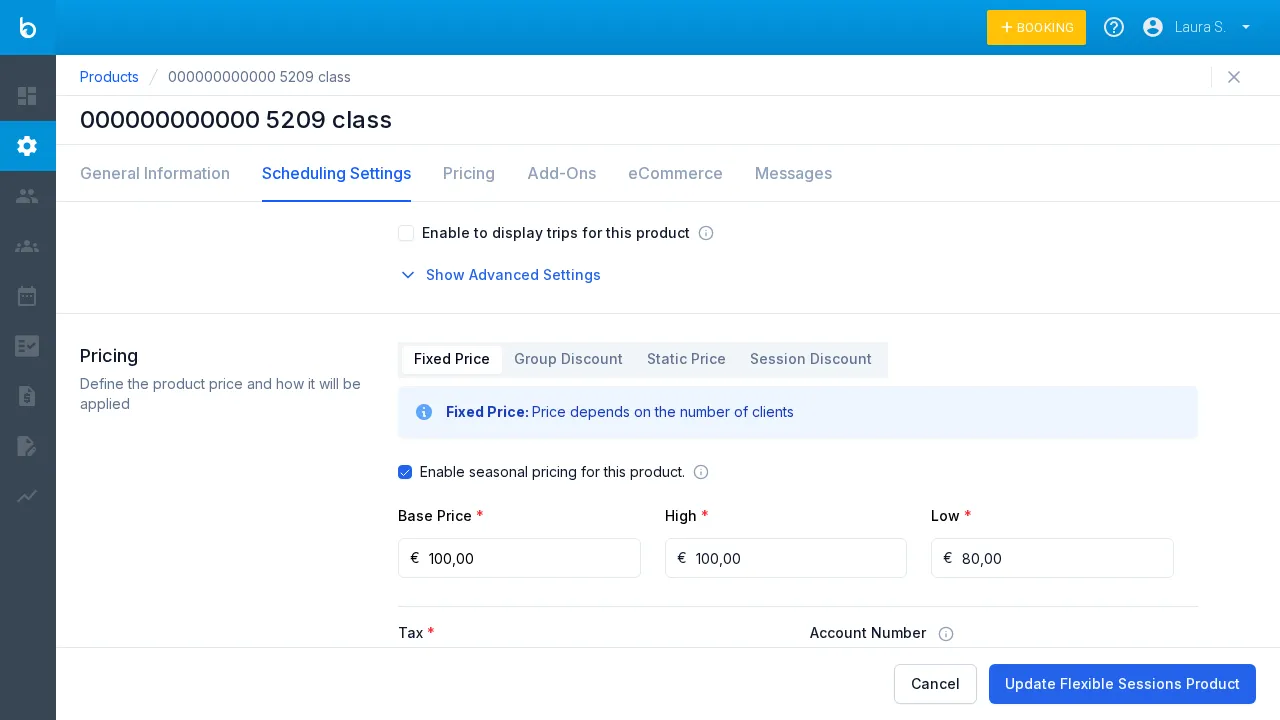
Section titled “3. Click the Pricing tab”Click the Pricing tab in the form navigation. You’ll see four sub-tabs — one for each pricing mode. Fixed price is selected by default.
Choose a pricing mode
Section titled “Choose a pricing mode”Only one mode is active at a time. Switching modes replaces the price fields.
Fixed price (default)
Section titled “Fixed price (default)”Each participant pays the same amount. This is the most common mode.
| Field | Description |
|---|---|
| Price (tax included) * | Price per person, tax included. e.g. €40.00 |
Use this for standard lessons, guided tours, and any activity priced per person.
Group discount
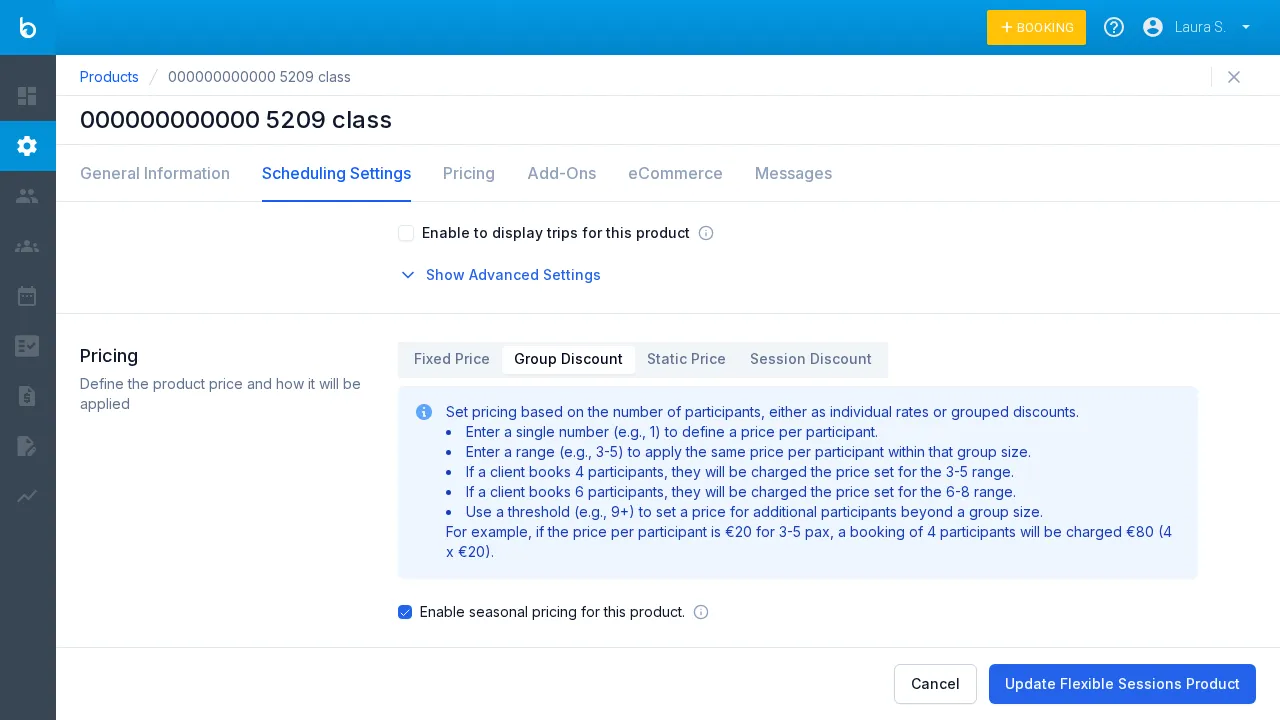
Section titled “Group discount”Tiered pricing based on the number of participants — larger groups pay less per person.
| Field | Description |
|---|---|
| Number of participants * | A single number (e.g. 1) or a range (e.g. 3-5). Use 9+ for open-ended. |
| Price per participant * | Per-person price for this tier. |
| Group price | Auto-calculated: participants × price per participant. |
Click + Add group discount to add more tiers.
Example: Tier “1-2” at €45/person, tier “3-5” at €35/person, tier “6+” at €25/person.
Static price
Section titled “Static price”A flat rate regardless of group size — the total stays the same whether 1 or 10 people book.
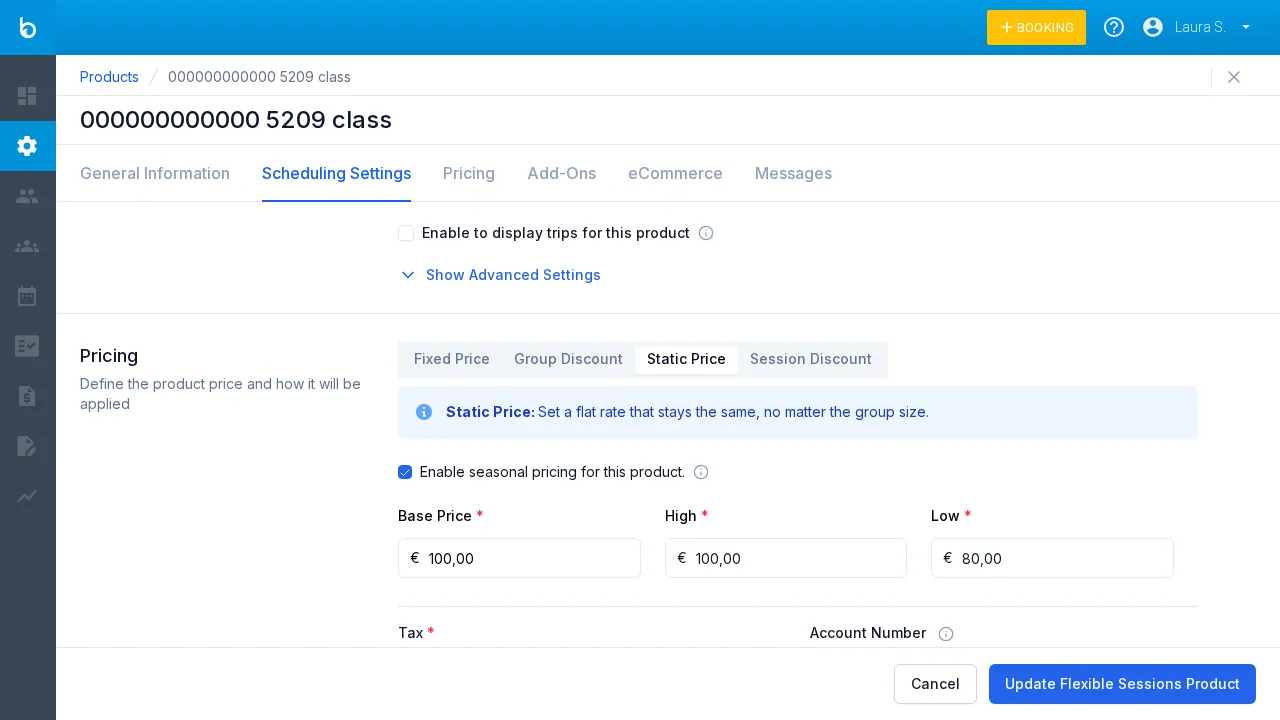
| Field | Description |
|---|---|
| Price (tax included) * | Fixed total price for the booking, regardless of participants. |
Use this for private sessions, boat charters, or products sold as a unit.
Per-session discount
Section titled “Per-session discount”Pricing based on the number of sessions booked — ideal for courses and multi-session packages.
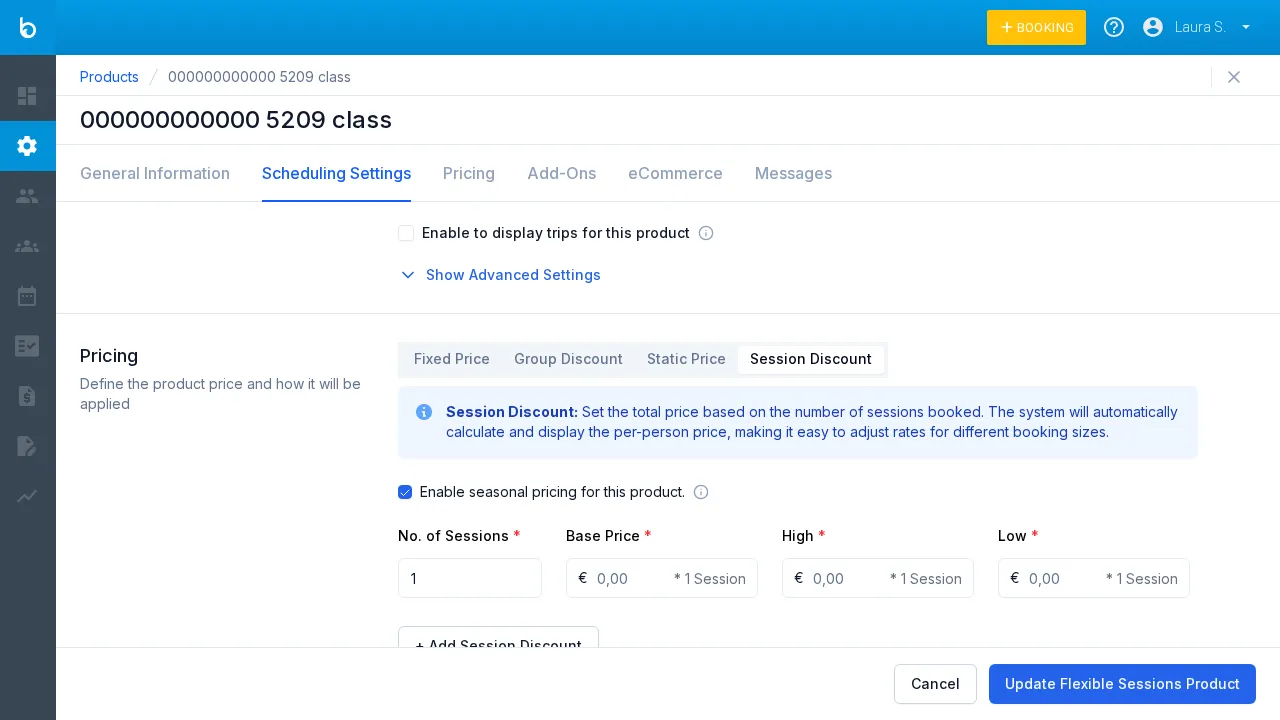
| Field | Description |
|---|---|
| No. of sessions * | Number of sessions (e.g. 5). Use ranges like 3-5 for tiered pricing. |
| Price per session * | Price per session. |
| Group price | Auto-calculated: sessions × price per session. |
Example: 5 sessions at €30/session = €150 total.
Seasonal pricing (optional)
Section titled “Seasonal pricing (optional)”All four pricing modes support seasonal pricing. Check Enable seasonal pricing for this product to activate it.
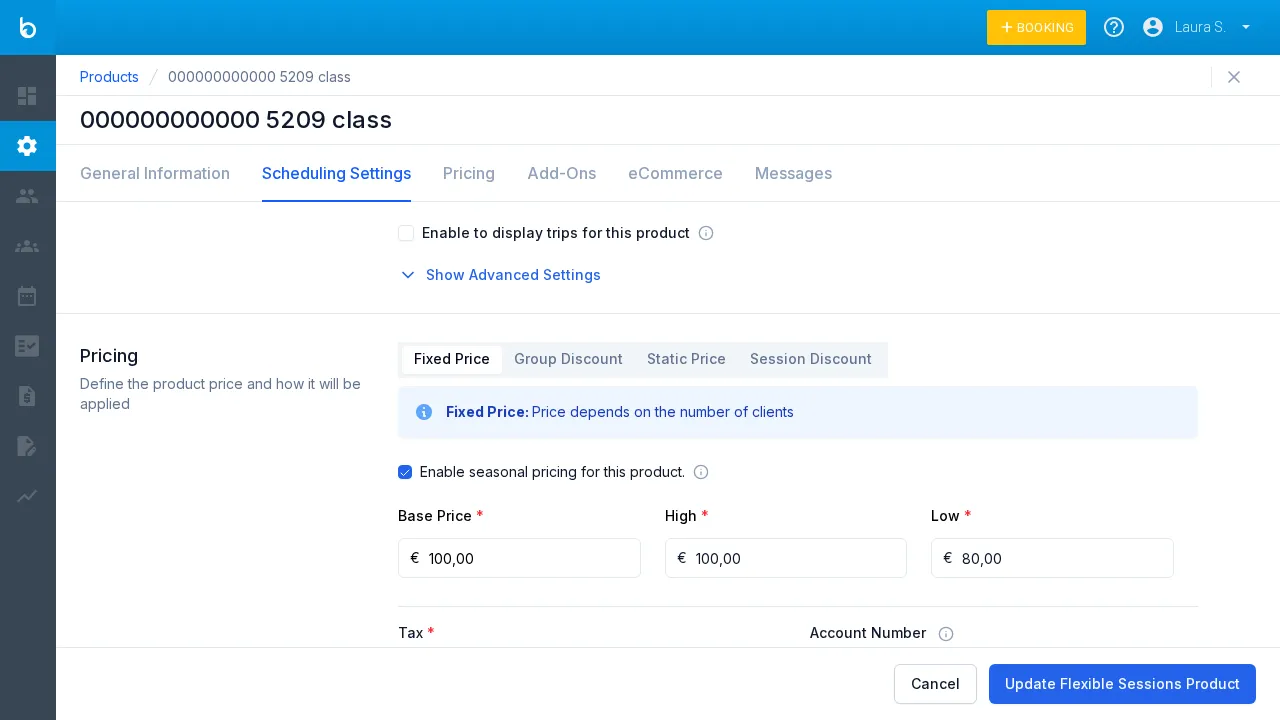
When enabled, each price field splits into three columns:
| Column | Description |
|---|---|
| Base price * | Standard price (used outside high/low seasons). |
| High * | Price during high season. |
| Low * | Price during low season. |
Watch out: You must define the high and low season date ranges separately in the product’s scheduling configuration or global settings. Enabling seasonal pricing here only adds the price columns — it doesn’t define when each season applies.
Tax (required)
Section titled “Tax (required)”The tax field appears at the bottom of every pricing mode.
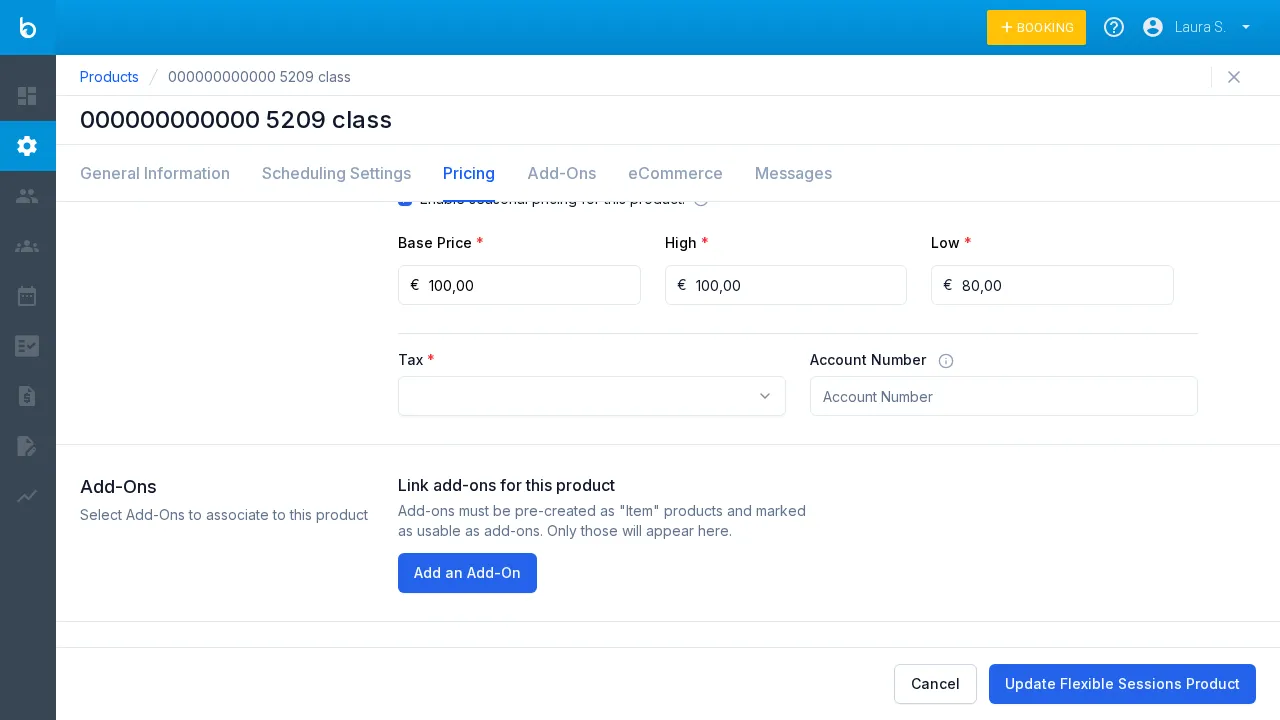
| Field | Description |
|---|---|
| Tax * | Required. Select a tax rate from the dropdown. |
| Account number | Optional. Accounting reference number. |
Watch out: Changing the price or tax rate on an existing product automatically creates a new version. Past bookings keep the old pricing — only new bookings use the updated price.
4. Save
Section titled “4. Save”Click Update product at the bottom-right to save your changes.
What should happen next
Section titled “What should happen next”- The updated price appears in the Products list under the PRICE (TAX INCL) column
- New bookings use the updated pricing
- If you changed the price or tax, a new product version was created — existing bookings are not affected
Common mistakes
Section titled “Common mistakes”| Mistake | Why it happens | Fix |
|---|---|---|
| ”Seasonal price shows but no season dates set” | Seasonal pricing enabled but no date ranges defined | Go to scheduling configuration or global settings and define high/low season dates |
| ”Price changed but old bookings updated too” | This shouldn’t happen — Bloowatch creates a new version | Contact Support if you see old bookings with changed prices |
| ”Group discount tiers overlap” | Two tiers cover the same participant count | Review your tiers and make sure ranges don’t overlap (e.g. “1-3” and “3-5” both include 3) |
